
Google chose a different canonical URL: a practical diagnosis
The practical answer
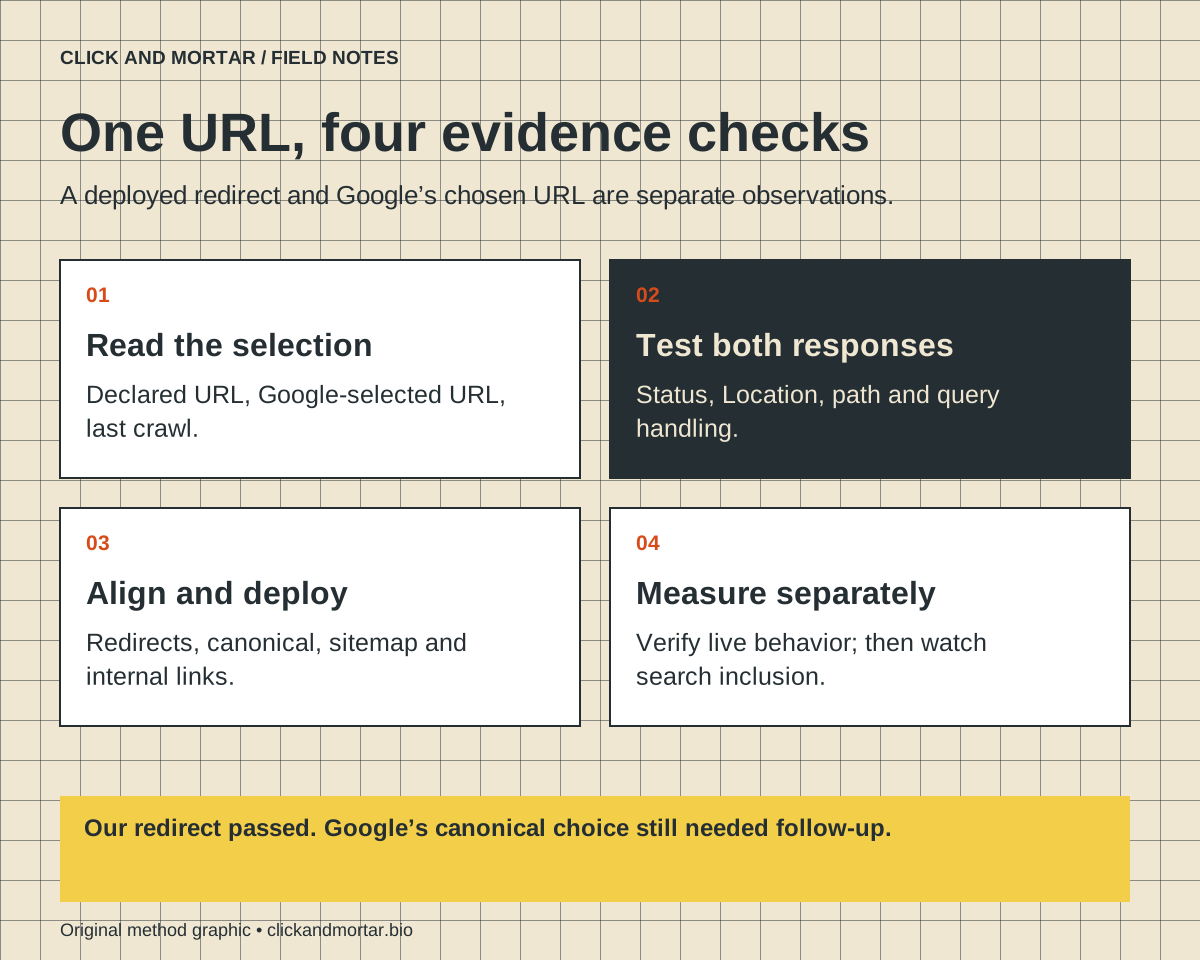
Compare the URL Google selected with the address your page declares. Test both HTTP responses before following redirects, align the preferred URL across the site, and verify the deployed change separately from Google’s next indexing decision.
On September 17, our own Search Console property showed Google selecting the www homepage while our HTML declared the non-www address. Both versions returned 200. We published and checked permanent redirects. A September 18 inspection still selected www after a newer crawl. Update from September 25, 2026: Search Console showed the homepage and About page indexed with Google selecting their inspected non-www URLs. This records the selection observed on that date; it does not establish a ranking, traffic or AI-citation improvement.
Start with the two addresses in the report
A page can load correctly and still have a different URL selected for search. On our site, the preferred address was https://clickandmortar.bio/, but Google’s inspection showed https://www.clickandmortar.bio/ as its choice. The distinction was one hostname prefix. A visual review of the homepage would not have exposed it.
Record the inspected URL, declared canonical, selected canonical and last crawl time before editing anything. This creates a dated observation you can compare after release. Our September 18 inspection reported a newer crawl but retained the previous selection. That is a pending search outcome, not grounds to announce recovery or repeatedly submit the same page.
Inspect the first HTTP response
Our initial checks found that both homepage hostnames returned HTTP 200, with the same non-www canonical in the HTML. The tag expressed a preference; the server still made both copies available. This is narrower evidence than saying the whole site was broken.
Use a request that does not automatically follow redirects. For a public URL you control, curl -I https://www.example.com/ displays the first response headers. Then inspect the destination separately. If your testing tool follows redirects silently, it can report a successful final page while hiding a missing redirect, a wrong destination or an unnecessary chain. Check a GET response too when HEAD behavior differs.
Make the URL preference consistent
Google describes redirects and canonical annotations as strong signals, while sitemap inclusion is weaker. For a duplicate address you are retiring, a permanent redirect can reinforce the preferred version. Internal links and the sitemap should agree with that destination. These are signals Google evaluates, not a command that guarantees its next selection.
We retained the non-www address because it was already the site’s declared destination. We added a public www redirect and a separate /index.html redirect to the homepage. This was a correction to an existing site, not a recommendation that every business should choose non-www. Either convention needs consistent implementation.
References: Google Search Central: Consolidate duplicate URLs
Check more than the homepage
A redirect can fix one visible symptom while damaging deep links. Before deployment, write a small acceptance table with the original request and expected destination. Include a nested page and a harmless query parameter. Keep administrative endpoints and protected routes in the review because a broad rule can unexpectedly intercept them.
For our release, existing protected-route rules kept their precedence. We deployed the previously checked static pages and server function with only the routing configuration changed. Comparing artifact hashes established that the application files were unchanged; it did not establish how Google would rank them.
| Request | Expected behavior | Evidence to keep |
|---|---|---|
| www homepage | Permanent redirect to preferred homepage | First status and Location |
| www article or service page | Same path on preferred host | No lost path or redirect loop |
| URL with a query parameter | Parameter retained when required | Exact destination including query |
| Preferred URL | Successful page with matching canonical | HTTP status and HTML head |
| Protected route | Existing access behavior retained | Route ordering and scoped check |
Choose the redirect deliberately
Google treats both 301 and 308 server-side redirects as permanent redirect signals. Our hosting configuration used 308, and live checks confirmed the expected destination, including a query parameter. Do not copy a hosting-specific rule without checking its path matching and order against the application you actually run.
Keep a rollback reference and test the public domain after deployment. A successful upload is not a redirect test. In our case the full-site check also covered the public pages, images and discovery files, while the direct redirect checks established the first response. These checks answer different questions.
References: Google Search Central: Redirects and Google Search
Separate a deployed fix from a search result
Use two status fields in your work log: deployment verification and Google indexing verification. On September 18 our log read: permanent redirects verified; canonical selection still pending. The September 25 inspection subsequently showed Google selecting the inspected non-www homepage and About URLs. An accepted indexing request alone had not established that outcome; the later inspection supplied the evidence.
The same distinction matters for AI visibility. Google’s AI search documentation connects eligibility to ordinary search requirements; it does not promise that a technically eligible page will be cited. Our Clarity citation report is a separate measurement source for Microsoft Copilot and partners. Neither a redirect check nor that report proves visibility in every AI assistant.
References: Google Search Central: AI features and your website
Ask for an evidence-based handover
If you are hiring someone to repair a canonical issue, ask for the before-and-after URL table, the exact changed routing rule, the live checks and the remaining search-system uncertainty. This lets you distinguish completed implementation from a promised outcome that has not yet been observed.
Our broader website launch-review article covers release acceptance across the site. This method focuses on one specific follow-up: a canonical mismatch that only became clear in Search Console. Use the technical SEO service guide to scope an investigation around your real URLs, rather than commissioning another page merely to compensate for an unresolved duplicate.
Common questions
Does a canonical tag force Google to choose that URL?
No. It signals your preference. Inspect Google’s actual selection and align redirects, internal links and sitemap URLs rather than assuming the tag alone settles the decision.
Should I remove a duplicate URL from search to fix this?
Do not use removal or noindex as a substitute for a canonicalization plan. First establish which duplicate is being retired and which page should remain available.
Does this guarantee AI citations or better rankings?
No. It corrects inconsistent URL handling. Search inclusion, rankings, citations and referred visits require their own observed evidence.
Sources and further reading
Primary references checked on October 2, 2026. Product claims belong to the cited provider; implementation recommendations reflect our judgment.
Field Notes / for developers
The next lesson, in your inbox.
A short, practical blurb for every new note, with a link to the full method. Web development, useful motion, automation, and lessons from AI-assisted builds. Up to three emails a week.
Developer notes, no sales sequence. Privacy · Prefer RSS?
Learn by building / with Tommy
Want a hand getting started?
If you want to get into AI web design or get better at vibe coding, I’d love to help you get started at no charge. Bring a project, a stuck prompt, or a question. I find I learn more by teaching others.
Book a free 30-minute learning callA practical conversation. No experience required.
AI assists research and drafting. Articles are checked for source support and clear distinctions between examples and verified work. Read our editorial policy. Suggest a correction.